 Live app · Slotly
Bookings, clients and invoices for people who sell their time.
Slotly is an appointment, client and invoicing app for one-person and small service businesses. Clients book themselves from your own booking page, every visit lands on your calendar, and at the end of the month the invoices are already waiting for you. We can host it for you, or you can host it on your own website.

See Slotly in 45 seconds
A client books a time from the booking page, it lands on the owner's calendar, the client is on file, and the month's invoices are already written. Sound on.
Made for anyone who books their time
If clients book you by the hour or by the visit, and you'd rather be doing the work than chasing texts and payments, Slotly fits.
- Tutors
- Weekly lessons that repeat on their own, and one tidy invoice per family each month.
- Piano tuners
- Clients pick an open slot on your route, and you keep their address and piano notes on file.
- Dog groomers
- Different services, lengths and prices, with notes on every dog and its owner.
- Dog walkers
- The same walks every week, booked once, billed every two weeks or every month.
- Babysitters
- Families book the evenings you're free, and hours are invoiced at each family's own rate.
- Music teachers
- Lesson packages paid in advance, with credit kept when a lesson is cancelled.
- Trainers and coaches
- Sessions booked online, paid on the spot or in advance, with late-cancellation fees built in.
- And many more
- Cleaners, photographers, consultants, therapists, handymen: anyone who sells their time.
Play both sides, right now
The live demo puts a customer's booking page next to the owner's dashboard. Book a time as the customer and watch it land on the owner's calendar, then send an invoice, record a payment and look through the reports. It's a made-up business with its own private copy for you, so tap anything you like: no real emails are sent, no cards are charged, and it starts fresh after 15 minutes.

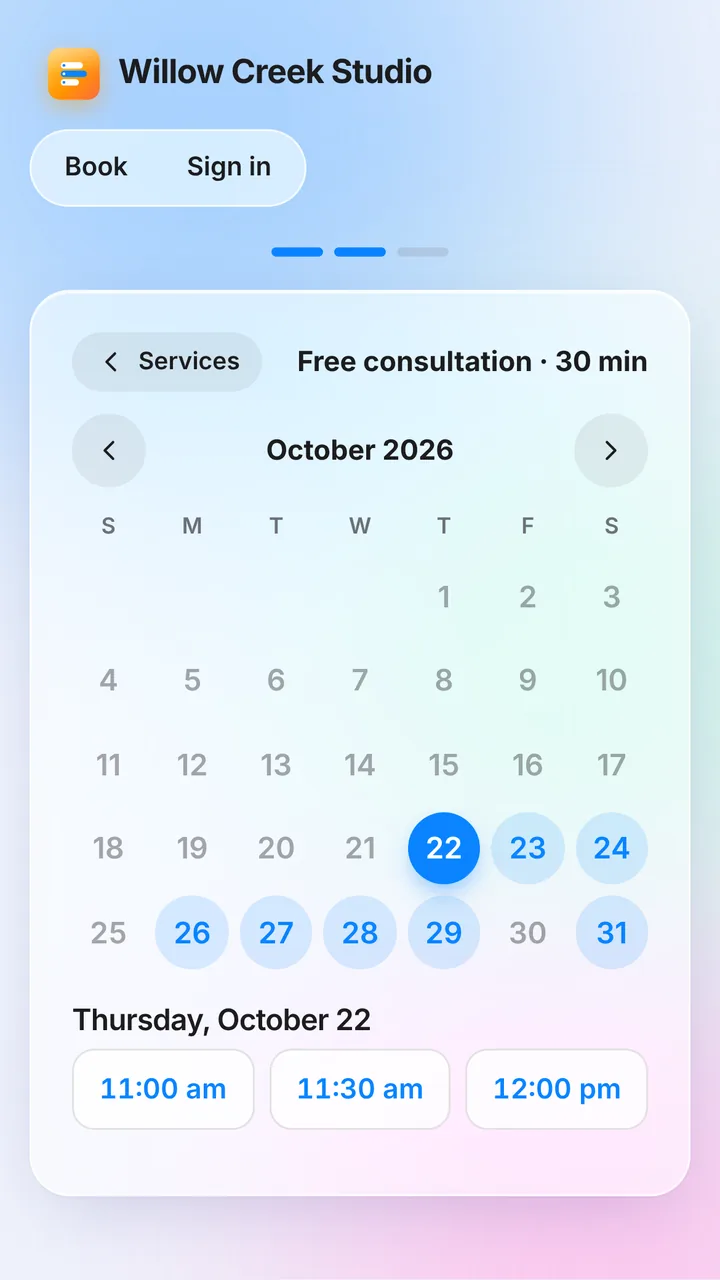
Clients book themselves
They pick a service.
Your booking page lists what you offer, how long each takes and, if you like, the price.
They pick a time that's really free.
Only open times show, worked out from your weekly hours, days off and what's already booked.
It's on your calendar.
The booking appears straight away, the client gets a confirmation email and you get a heads-up.
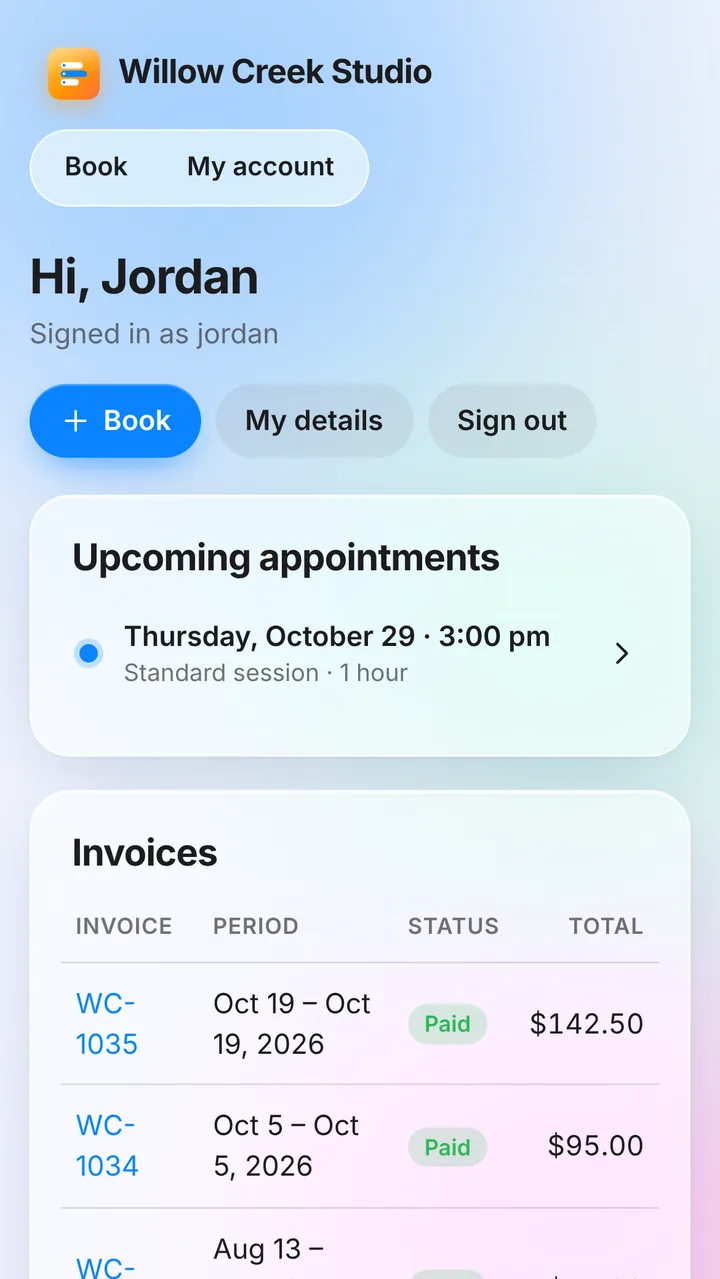
After that, clients can look after themselves:
Their own account.
Upcoming visits, past invoices and their details, all in one place. You can create the login for them or send an invite link.
Cancel or reschedule, on your terms.
Switch it on or off for everyone or per client, and charge a fee inside the window you choose.
Pay online if you take cards.
Clients can pay an invoice, or pay when they book, through your own card account.
Nothing to install. Your booking page is part of your own website and works on any phone.
Your schedule, your way
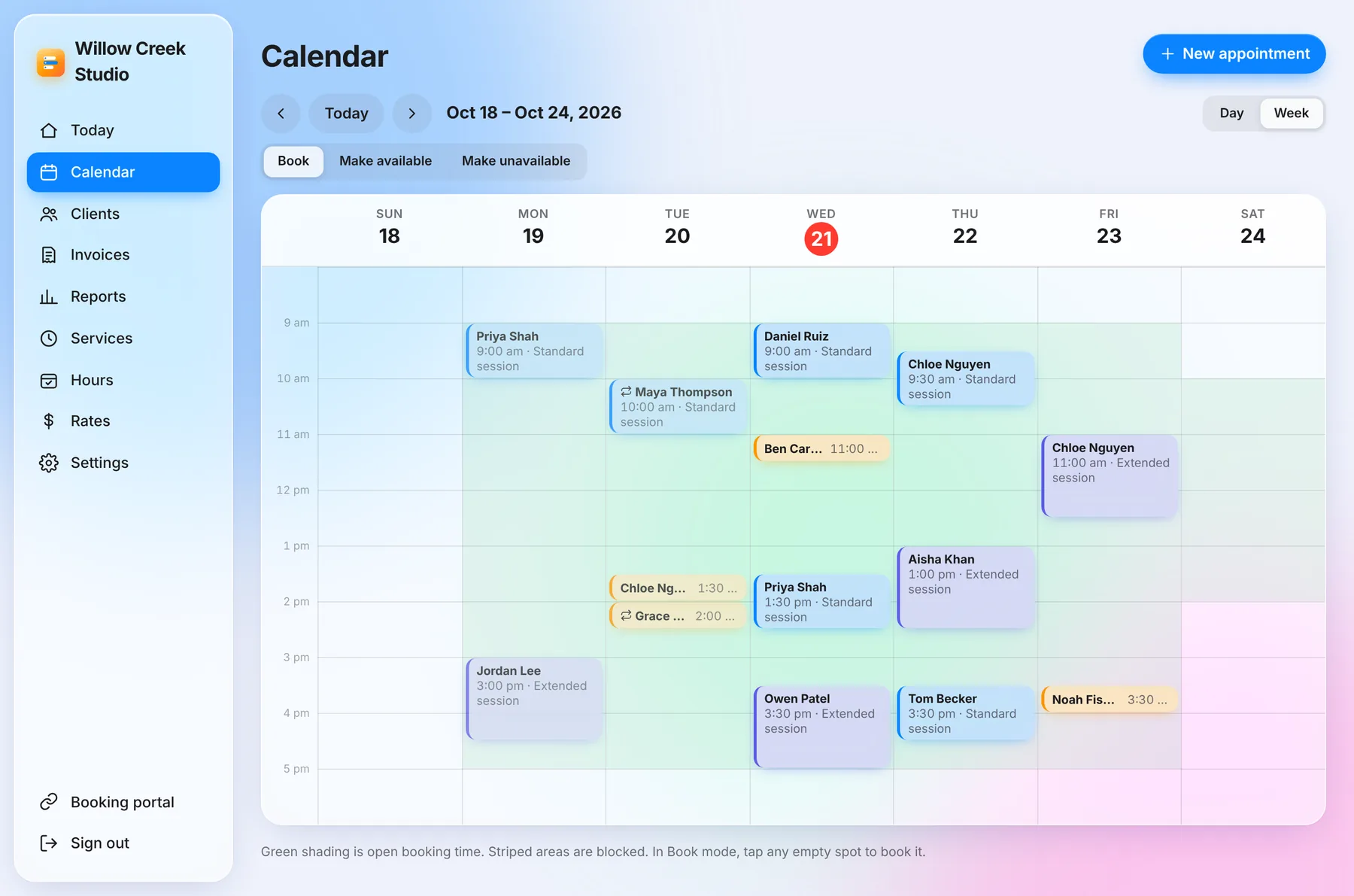
Paint your availability
Drag across the calendar to make time available or unavailable, for one week or every week.
Recurring appointments
Set up a weekly lesson or walk once and it repeats until you stop it.
Weekly hours and days off
Regular hours, one-off changes and blocked time for holidays or errands.
Services and rates
Any number of services with their own length, colour and price, plus rate tiers so different clients can pay different rates.
Every client on file
Contact details, address, notes, billing cycle, rate and full visit history for each client, kept encrypted.
Your day at a glance
The Today screen shows who's coming, what's next and what's ready to invoice, on a phone or a computer.
Invoices that write themselves
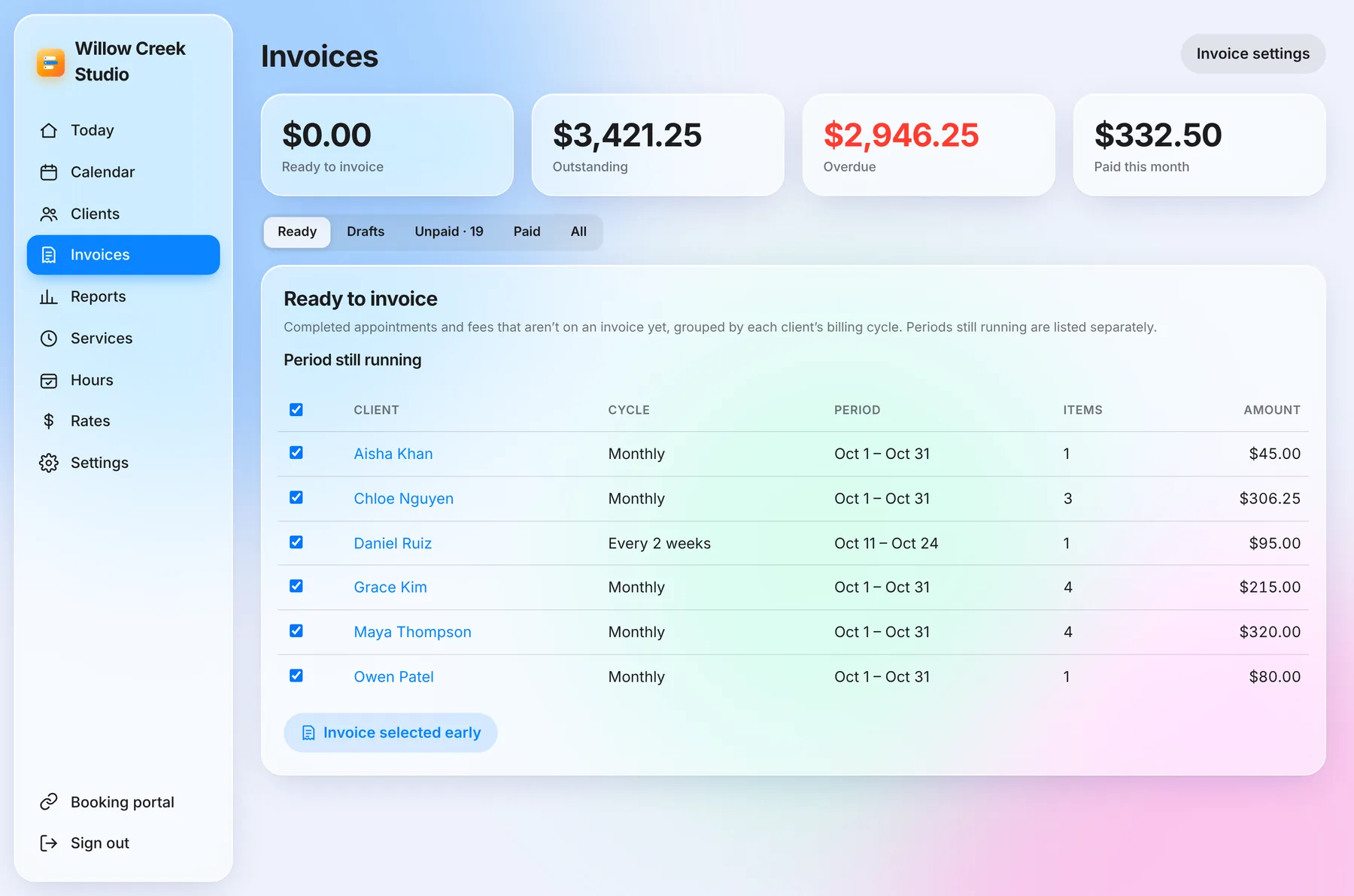
Billing for your time is built in. Slotly keeps track of every finished visit and fee, so invoicing is a quick check instead of an evening with a spreadsheet.
Ready when the cycle ends.
Finished appointments and fees are grouped by each client's billing cycle (weekly, every two weeks or monthly), ready to turn into invoices in one go.
Edit anything before it goes.
Start from a draft, add or change lines, and add a discount or tax.
Sent by email, with a private link.
Each client gets a clean invoice page they can open on any phone, print or save as a PDF, with your payment details on it.
Partial payments, and what's still owed.
Record full or partial payments, void a mistake, and always know what's outstanding and what's overdue.
Cancellation fees and credits.
Late-cancellation and reschedule fees land on the next invoice automatically. Prepaid visits that are cancelled turn into credit.

Get paid the way you already do
The apps your clients use
Zelle, Venmo, Cash App, PayPal, Apple Cash, check, bank transfer or cash, shown on every invoice and email.
Cards, if you want them
Connect your own Stripe, Square or Clover account and clients can pay by card. The money goes straight to you.
Bill later, pay on the day, or pay up front
Choose how each client pays: on an invoice, at the visit, or in advance when they book.
No more unpaid holds
Online bookings that need paying up front are released automatically if they aren't paid in time.
Know how the business is doing
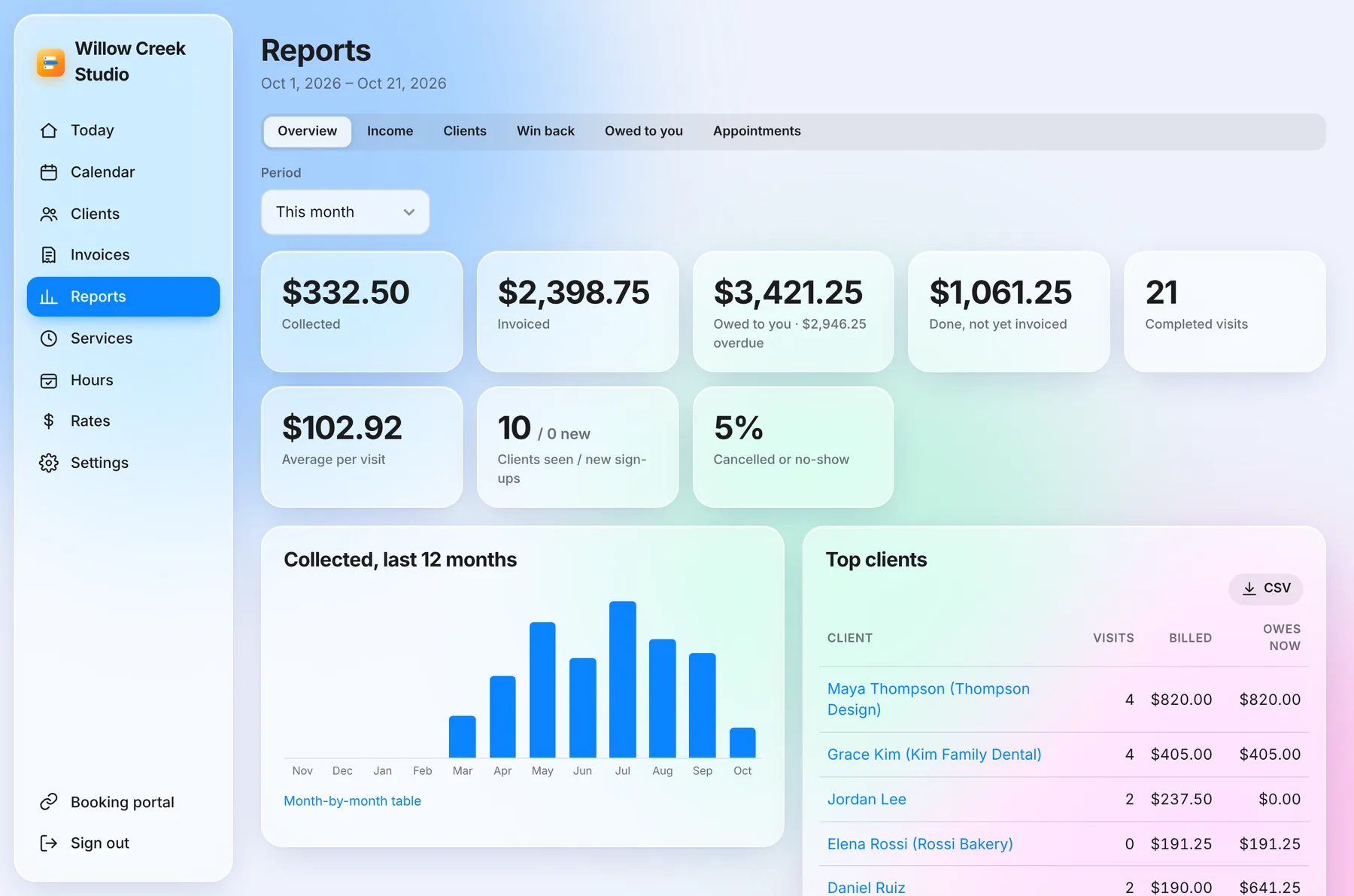
Income
By month, by service, by rate and by payment method, plus cancellation fees.
Clients
Your best clients, and new versus returning ones.
Win back
Clients you haven't seen in 3, 6 or 12 months, with a friendly personal email to all of them in one go.
Owed to you
Unpaid invoices grouped by how overdue they are.
Appointments
Cancellations and no-shows, your busiest days and hours, and how full your week really is. Every table exports to a spreadsheet.
Yours, and safe
Your name and logo
Your business name, logo and payment details on the booking page, the emails and every invoice.
Emails from your own address
Confirmations and invoices go out from your own mailbox, so replies come straight back to you.
Clients' details protected
Contact details, addresses and notes are encrypted, sign-ins are guarded against guessing, and you can add two-step sign-in with an authenticator app.
Works on every screen
Feels like an app on your phone, with a full view on a computer, in light or dark mode.
Slotly starts at just $14.99/mo or $175 a year. We can host it for you in a secure, encrypted environment, or we can set it up on your PHP capable site. Want a feature or function not in the app? We can build it- in days, not weeks.
Ready to stop chasing bookings and payments?
Try the demo, then tell us about your business. We'll set Slotly up with your services, hours, rates and logo, ready for your first booking.